Unofficial · for CodeForces
Solve faster.
Run locally.
The unofficial partner code editor for competitive programming on CodeForces. Fetch a problem by its code, write your solution, and judge it against the samples — all in one window.
Built on the idea that, mid-contest, speed matters more than general-purpose IDE features.
Java · Swing · Apache-2.0
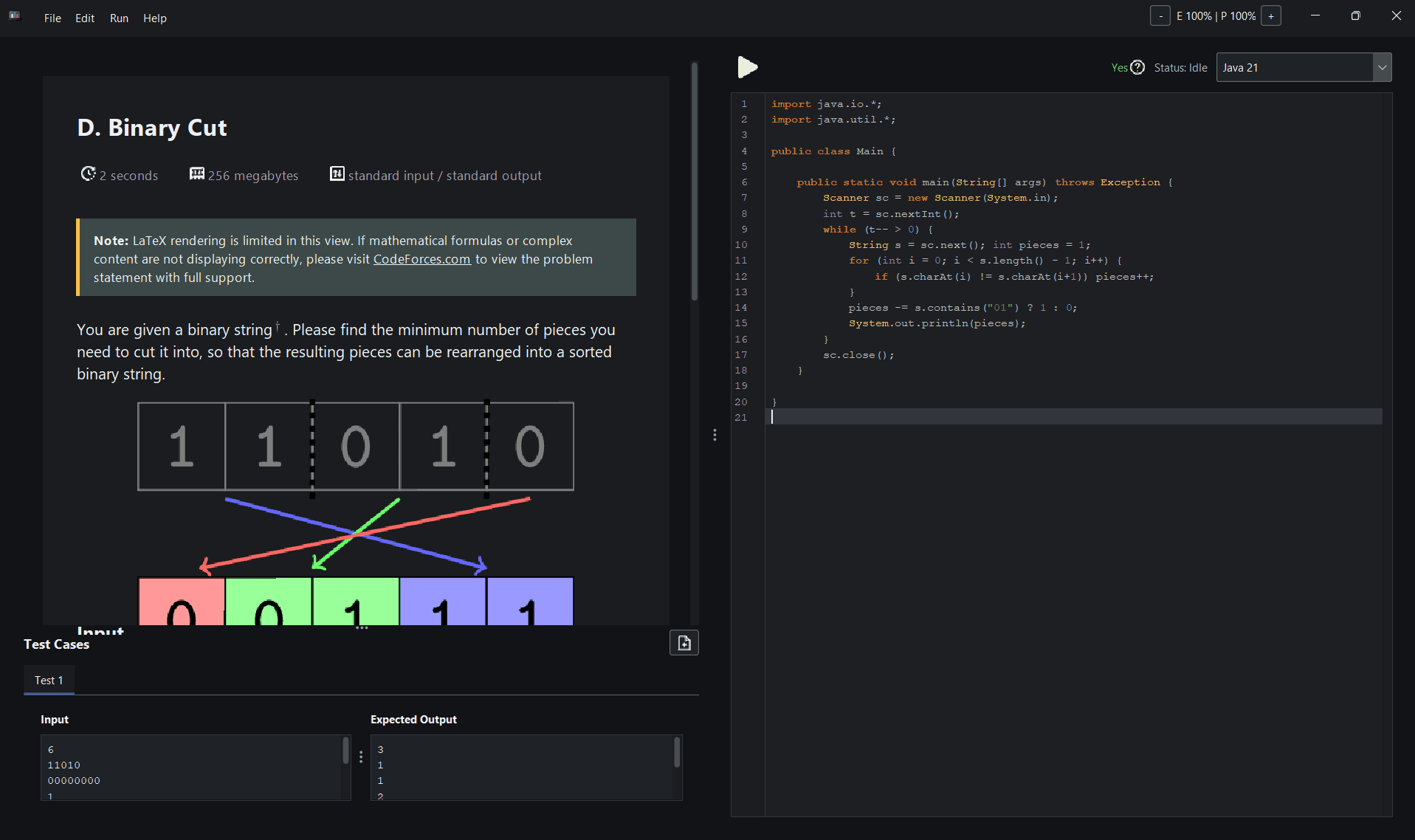
Problem statement on the left, editor on the right — one window, built for the contest clock.
Everything the contest needs.
Nothing it doesn't. Each feature exists to shave seconds off the fetch → solve → run loop.
Fetch by problem code
Type a contest code like 2208A and hit Enter. CP Ally pulls the problem straight from CodeForces.
Faithful rendering
Statements render with HTML, icons, and LaTeX — so math and formatting look the way they should.
Syntax-highlighted editor
Write solutions in a focused editor with a compact split layout: statement left, code right.
Run against samples
Execute locally against the extracted sample tests, or add your own custom cases on the fly.
Smart YES / NO judging
When the expected output is only YES or NO tokens, comparison is handled case-insensitively.
Caching that remembers
Statements cache for fast reloads, and your code is preserved per problem and per language.
Persistent workspace
Window state, divider positions, and your last selected language are restored between sessions.
Built for the clock
A dark, no-nonsense layout that trims general-purpose IDE weight in favor of contest speed.
Five steps, one window.
The whole loop, from a blank editor to a judged solution.
- 01
Enter the code
Drop in a contest code and index, e.g. 2208A.
- 02
Fetch
Pull the statement and sample tests from CodeForces.
- 03
Read
Study the rendered problem in the left panel.
- 04
Write
Code your solution in the editor on the right.
- 05
Run
Judge it locally against the samples — instantly.
“Speed matters more than general-purpose IDE features.”
The whole design philosophy, in one line.
Get CP Ally IDE